Use cases
An AI reply-draft tool for customer messages — without a key in the file
An AI app made in a chat usually asks for your API key and keeps it in the page — where anyone with the file can read it. Without a key, it does nothing.
“Make a tool where I paste a customer's message and AI writes a polite reply draft. Let me pick the tone (formal / friendly / brief), edit the draft, copy it or save it. I want to see saved replies in a list later. Make it clean and nice to look at. When it first opens, have a couple of saved example replies.”
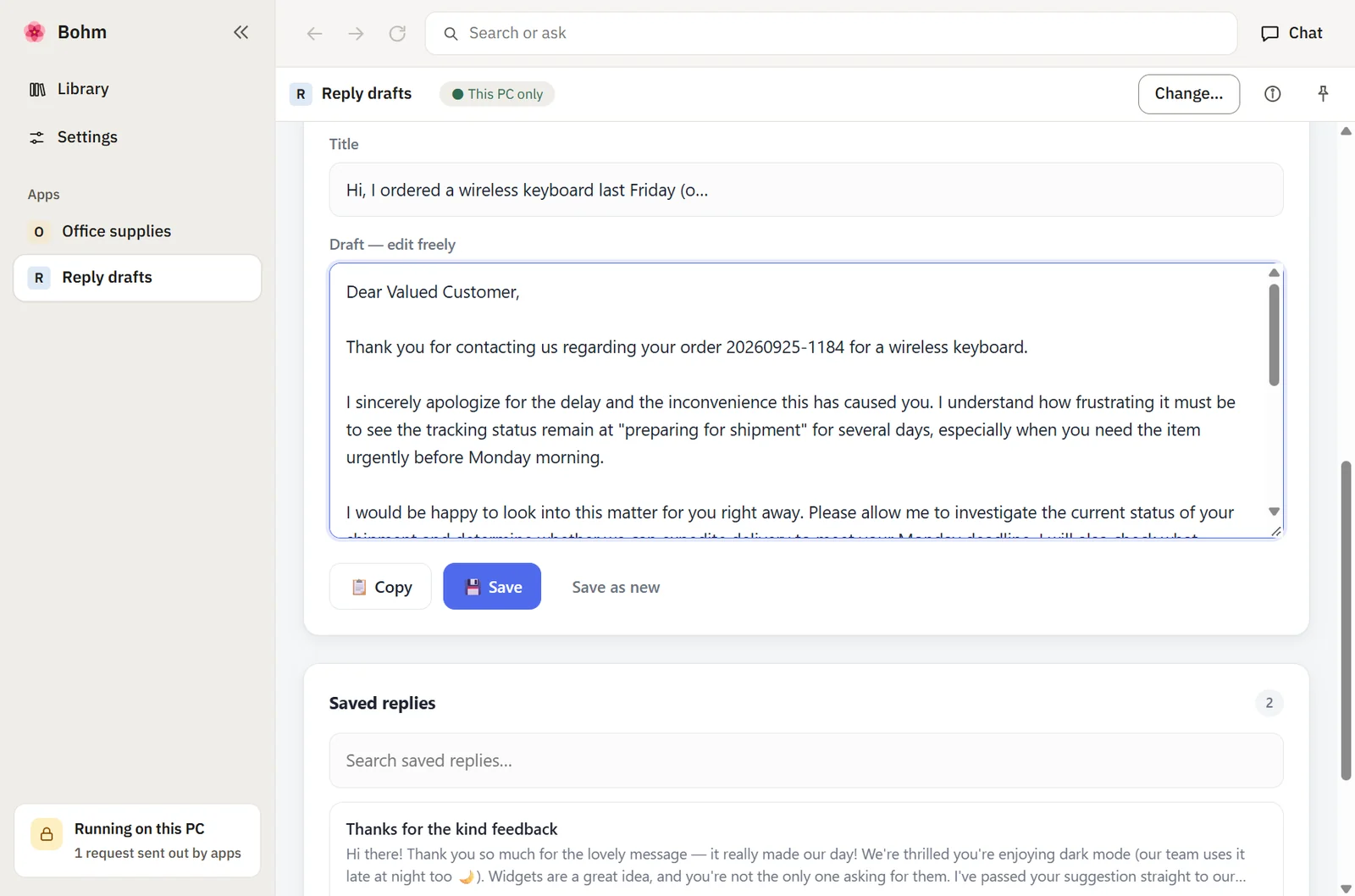
In Bohm
Ask, save, drop in.
With the text from “Making an app for Bohm”, the app calls the AI service the normal way and never asks for a key.Connect your AI once.
In Bohm’s settings, connect a service with your key, pick a model file on your PC, or enter an AI server on your network.Draft, edit, keep.
Bohm answers the app’s AI requests with what you connected. The key never reaches the app, and saved replies stay on your PC.
Made the same way
- Meeting notes summarizer
- Product description writer
- Ticket classifier
Try it with your own app.
Bohm is free on Windows 10 and 11. It installs without administrator rights and works without an internet connection.